FFmpeg Cut Video: When to Copy Streams or Re-encode
Choose FFmpeg stream copy or re-encoding for an authorized SDR demo, understand seek and stream-map choices, then inspect the actual clip. This guide uses illustrative commands, not execution results.

Suppose you need a short excerpt from an authorized product-demo recording. For an internal reference, a slightly early opening might be fine. For a public walkthrough, the clip may need to start on a particular screen. That difference should decide how you cut the video.
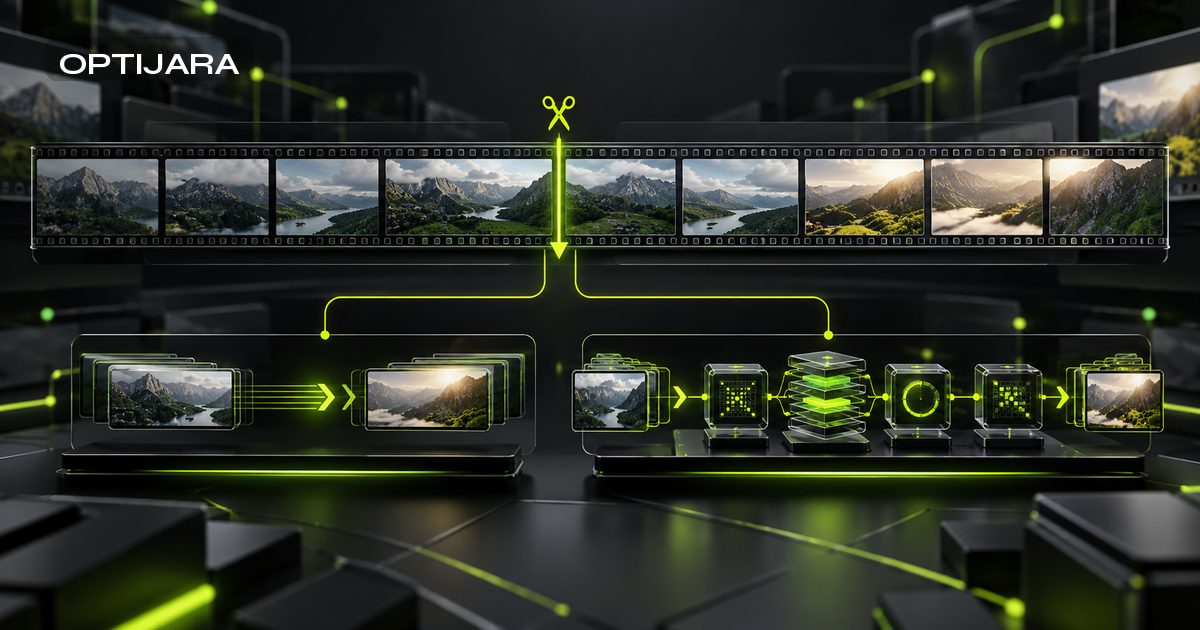
Start with stream copy if a rough boundary is acceptable. Choose re-encoding when the edit or delivery requirements call for it, then inspect the result. The shortest FFmpeg command is a poor substitute for a clear acceptance rule.
This guide explains that choice with complete, illustrative commands. They have not been executed for this article; no sample output or playback result is claimed.
Choose the cut by the boundary you need
Stream copy keeps compressed packets, with limits on the cut
FFmpeg separates a container into media streams, such as video and audio. Stream copy writes selected compressed packets into an output container without decoding or encoding them. It cannot filter those copied streams. The official Streamcopy documentation describes this path.
Skipping another encoding generation does not guarantee an exact visible starting frame. It also does not mean identical file bytes or preservation of every metadata field. The output container must support the selected streams.
| Requirement | Initial choice | Acceptance check |
|---|---|---|
| Rough internal extract | Consider stream copy | Opening and ending are acceptable |
| Deliberately bounded SDR demo | Consider re-encoding | Review requested visual and audio boundaries |
| Required video filtering | Re-encode affected video | Check filter result and playback |
| Destination rejects source codecs | Choose supported encoding and container | Open the result in the destination |
| Sensitive content must be excluded | Reject rough copy as an assurance | Review the complete delivered clip |
Use the table to choose a starting point. Approval comes later, after reviewing the file. A playable clip can still contain material you intended to leave out.
Re-encoding buys control at a cost
Re-encoding decodes media and creates newly encoded output. A filter needs decoded frames, so filtering and stream copying cannot apply to the same stream. The FFmpeg manual explains that distinction.
The encoded recipe below introduces another lossy generation and requires processing work. Its settings make specific delivery choices. Whether that trade-off suits your recording depends on the result you need; neither path guarantees speed or compatibility across all sources and players.
Inspect the source and define what the clip must contain
Read the stream inventory with ffprobe
These examples assume FFmpeg and ffprobe are installed and that you have permission to use the recording. The source is an ordinary local SDR H.264/AAC file extending beyond the requested interval. Use a POSIX-style shell. Installation and HDR conversion sit outside this guide.
Start with these inspection commands:
ffmpeg -version
ffmpeg -encoders
ffprobe -v error -show_format -show_streams -of json 'demo-source.mp4'
Record the installed version and check that the encoder list includes libx264 and aac before trying the encoded recipe. The codec documentation describes libx264's build dependency. Changing a filename extension will not add a missing encoder.
The ffprobe reference documents container and stream reports with machine-readable output. Examine the stream indices and codecs. Check duration, pixel format and any available color information, then look for additional tracks. Treat missing information as unknown. The commands above are proposed inspection steps, not captured execution evidence. Online manuals may differ from your installed build; use its local help to check an unfamiliar option.
Keep the original and work on a separate copy
Keep the original elsewhere. Put an authorized working copy named demo-source.mp4 in a disposable local directory and run the examples there, using distinct output names.
Both recipes include -n, which refuses an existing output. If a file with that name already exists, inspect it or choose another name. Keep the overwrite safeguard while deciding what to retain.
Write down which tracks the clip needs. The recipes select the first video and optional first audio. Other language tracks and separate subtitle, attachment and data streams are outside that selection. This does not establish whether caption data embedded inside a selected video stream survives; inspect that separately. Decide whether their absence is acceptable before running the cut.
Make a rough clip with stream copy
Set the input seek and output duration explicitly
This example requests a start at 00:00:30 and an output duration of 10 seconds:
ffmpeg -n -ss 00:00:30 -i 'demo-source.mp4' -t 10 -map 0:v:0 -map '0:a:0?' -c copy 'demo-copy.mkv'Because -ss appears before -i, it is an input seek. The official option reference explains that most formats cannot seek exactly. FFmpeg seeks to the closest preceding seek point; stream copy preserves the extra segment before the requested position.
That is the reason to treat this as a rough cut. Check what appears and sounds at the beginning instead of assuming the timestamp describes the first displayed frame or audible sample.
After the input, -t 10 limits output duration. It does not set an absolute ending timestamp or prove the observed final frame and audio sample. The time-duration syntax supports the notation shown here. Keeping start and duration separate makes the request easier to review.
Check what the stream maps actually select
-map 0:v:0 selects the first video stream from input zero. -map '0:a:0?' selects its first audio stream if one exists. The question mark makes the audio map optional, as documented under stream mapping. Quoting passes the question mark literally in the assumed shell; see the manual's quoting and escaping guidance. The optional map still requires input zero to exist.
Optional audio is a convenience, not an acceptance rule. If the walkthrough requires narration, an audio-free clip fails review even if the command completes.
-c copy copies the selected streams. MKV is the example container; check container support and the intended editor before adopting it. Then review both ends of the actual clip. Moving -ss after -i does not make packet copying frame-accurate by itself.
Re-encode an SDR clip for deliberate delivery
Use the H.264 and AAC example within its scope
The encoded alternative requests the same interval and stream selection. It needs the encoders checked earlier and remains an unexecuted example:
ffmpeg -n -ss 00:00:30 -i 'demo-source.mp4' -t 10 -map 0:v:0 -map '0:a:0?' -c:v libx264 -crf 20 -preset medium -pix_fmt yuv420p -c:a aac -b:a 160k -movflags +faststart 'demo-encoded.mp4'During transcoding with input seeking, default accurate_seek decodes and discards the segment between the seek point and requested position. This is the documented difference from stream copying. It explains the choice, but does not approve the resulting edit. Review the opening frames and ending, including the audio.
libx264 encodes H.264 video. -crf 20 sets a constant-quality control value, while -preset medium selects an encoding preset. See the encoder reference for those controls. The values here are starting settings, not quality scores or a claim that one combination suits every recording.
Keep playback preparation separate from cut accuracy
-pix_fmt yuv420p requests that pixel format. If an encoder cannot use a requested pixel format, FFmpeg can warn and select another supported format; inspect the actual output, as the pixel-format option reference explains. The audio options -c:a aac -b:a 160k request AAC encoding with the stated bitrate setting. These are delivery choices, not instructions to preserve every property of the source.
The recipe does not establish correct HDR tone mapping or high-bit-depth retention. Rotation handling and multichannel preservation also need their own checks. Compare visible quality and file size on your material, and record the processing effort if it matters to the workflow. There is no benchmark behind these examples.
For MP4, +faststart moves index metadata to the beginning for progressive playback. The MOV/MP4 muxer documentation describes the additional pass. It does not improve cut accuracy or encoder quality. Open the H.264/AAC MP4 in its intended destination before accepting it.
Run the Clip Acceptance Check before sharing
Boundary: review what is visible and audible
The Optijara Clip Acceptance Check is this guide's original editorial checklist, organized around Source, Boundary, Streams and Destination. It is not an industry standard or a tested Optijara methodology. Use it to decide whether the output meets the request.
Confirm that you used the authorized working copy. Play or decode the beginning and ending, checking the visible frames and where audio starts and stops. If sensitive material must be excluded, review the entire delivered file. A preview near the requested timestamp cannot settle that question.
LosslessCut issue 1216 discusses seeking, frames and timestamp consistency. The reports are a reason to inspect your own output. They do not establish a universal current FFmpeg bug or supply test results for this guide.
Streams and delivery: retain evidence from the actual file
Inspect whichever output you created:
ffprobe -v error -show_format -show_streams -of json 'demo-copy.mkv'
ffprobe -v error -show_format -show_streams -of json 'demo-encoded.mp4'
Run only the inspection for the file you actually created. A missing encoder, required stream or usable muxer leaves that path unresolved, not successfully tested. Retain the observations that support your decision:
| Check | Implementation action | Evidence to retain |
|---|---|---|
| Source | Confirm authorization and untouched original | Source identifier and working-copy note |
| Boundary | View and listen at both ends; review all content when needed | Requested interval and observed content notes |
| Streams | Compare ffprobe inventory with required tracks | Actual codec, track and duration report |
| Destination | Open final file in intended editor or player | Playback, sync, visible-quality and size notes |
Container duration alone cannot prove the intended first or last frame, or A/V synchronization. Leave unperformed and failed checks unresolved.
If stream copy misses the boundary requirement, try the encoded path and repeat the checks. Missing tracks call for a review of mapping and muxer support. Playback failure calls for checking the destination's codec requirements and your available encoders, not just renaming the file.
This record describes the checklist. It contains no measurement results:
{"framework":"clip-acceptance-check","layers":["source","boundary","streams","destination"],"requiredChecks":["authorization","content-boundaries","tracks","playback"],"executionStatus":"illustrative_not_executed","acceptanceStatus":"unassessed"}What teams get wrong when copying FFmpeg commands
Changing flags without checking the operation
Option placement changes meaning. Before moving -ss, check whether you intend an input or output operation. Likewise, -t means duration and -to means stop position. The manual says they are mutually exclusive, with -t taking priority. Choose one.
Automatic stream selection does not promise every required track. Selecting everything with -map 0 also does not guarantee the muxer can accept it all. The examples here do not map separate subtitle streams. Embedded captions in selected video are a separate retention or exclusion check; the libx264 reference documents supported closed-caption import. If captions matter, plan their retention or separate delivery, then check their timing after the edit. The Remotion caption timing and subtitle-export guide covers the related distinction between caption clocks and final output.
Treating successful exit as editorial approval
A successful exit tells you the process completed. Someone still has to approve the content. Avoid treating -copyts, -avoid_negative_ts, offsets or a workaround from an issue thread as universal repairs for a bad boundary.
Historical tutorials such as OTTVerse's trimming guide offer useful command examples. Before adopting a recipe, add the stream requirements and acceptance checks for your recording. A claim about accuracy elsewhere does not replace watching your clip.
Know where this clipping recipe stops
HDR, metadata and complex media need a separate plan
Installed builds and source timestamps can differ, as can muxers and destination players. Treat HDR conversion and color management as separate work. The same applies to rotation, multichannel audio, extra languages, subtitle retention, damaged media and network inputs. Each needs explicit requirements and source-specific validation.
Do not assume remuxing or export preserves all metadata or embedded provenance credentials. For AI-assisted assets, the content-provenance readiness guide explains why evidence needs checking after transformations.
Permission to clip locally does not settle permission to upload later. Before adding hosted processing or AI-assisted campaign repurposing, define who can access the recording and who approves public reuse. The brand-safe content workflow guide covers that review boundary.
No media conversion, upload or playback test was performed for this article. When adapting the examples, keep proposed checks separate from recorded observations. Evidence starts with the actual file.
Key Takeaways
- 1Stream copy avoids another encoding generation but does not guarantee the requested visible boundary.
- 2Use explicit stream maps and output duration, and document which tracks the recipe intentionally omits.
- 3Input seeking behaves differently during stream copy and default accurate-seek transcoding.
- 4H.264/AAC encoding settings are delivery choices with quality and processing trade-offs, not universal compatibility guarantees.
- 5Apply the Clip Acceptance Check: Source, Boundary, Streams, Destination.
- 6ffprobe metadata and successful exit do not replace viewing, listening and destination playback checks.
Conclusion
Choose the cut by what the delivered clip must contain. Stream copy can suit a rough extract; re-encoding gives you different controls and still needs review. Keep the source untouched and make track selection explicit. Then run the Clip Acceptance Check on the actual output, including playback in its destination. Give complex color and additional tracks their own requirements, and settle permissions before adding hosted processing. If clipping becomes part of a broader AI-assisted content workflow, Optijara can help define its review and integration requirements.
Frequently Asked Questions
How do I cut a video with FFmpeg without re-encoding?
Use the complete stream-copy example with an input seek, output duration, selected streams and a new filename. The -c copy option avoids re-encoding those streams, not boundary or playback checks. The example is illustrative and unexecuted.
Why does an FFmpeg stream-copy clip start before the requested time?
Input seeking generally reaches a preceding seek point. Stream copy preserves the extra segment before the requested position; default accurate seeking during transcoding decodes and discards it. Inspect actual playback because sources and players differ.
Should I use -t or -to when trimming a clip?
This recipe uses -t after the input to specify output duration. The -to option specifies a stop position instead. Do not combine them: FFmpeg documents them as mutually exclusive, with -t taking priority.
What does -map '0:a:0?' mean?
It selects the first audio stream from input zero if present. The question mark makes that stream map optional, not the input itself; quoting passes it literally. It does not select other languages or separate subtitle streams. If audio is required, an audio-free output fails acceptance.
Can re-encoding or ffprobe prove the intended clip is ready to share?
No. Re-encoding and metadata inspection do not approve visible content, audio sync or destination playback. Review the actual output, including the entire delivered clip when sensitive exclusions matter. Container duration alone does not prove the intended boundaries.
Sources
- https://ffmpeg.org/ffmpeg.html
- https://ffmpeg.org/ffprobe.html
- https://ffmpeg.org/ffmpeg-formats.html
- https://ffmpeg.org/ffmpeg-codecs.html
- https://ffmpeg.org/ffmpeg-utils.html
- https://ottverse.com/trim-cut-video-using-start-endtime-reencoding-ffmpeg/
- https://github.com/mifi/lossless-cut/issues/1216
- https://www.optijara.ai/en/blog/remotion-captions-srt-word-timing-export-guide
- https://www.optijara.ai/en/blog/ai-provenance-watermarking-readiness-c2pa-synthid-2026
- https://www.optijara.ai/en/blog/ai-marketing-operating-system-brand-safe-generative-ai-workflows-2026

Written by
Hamza DiazHamza Diaz is the founder of Optijara, where he builds practical AI agents, automation systems, and Copilot workflows for service businesses. He writes about AI operations, agent strategy, and real-world implementation for teams that want usable systems instead of hype.