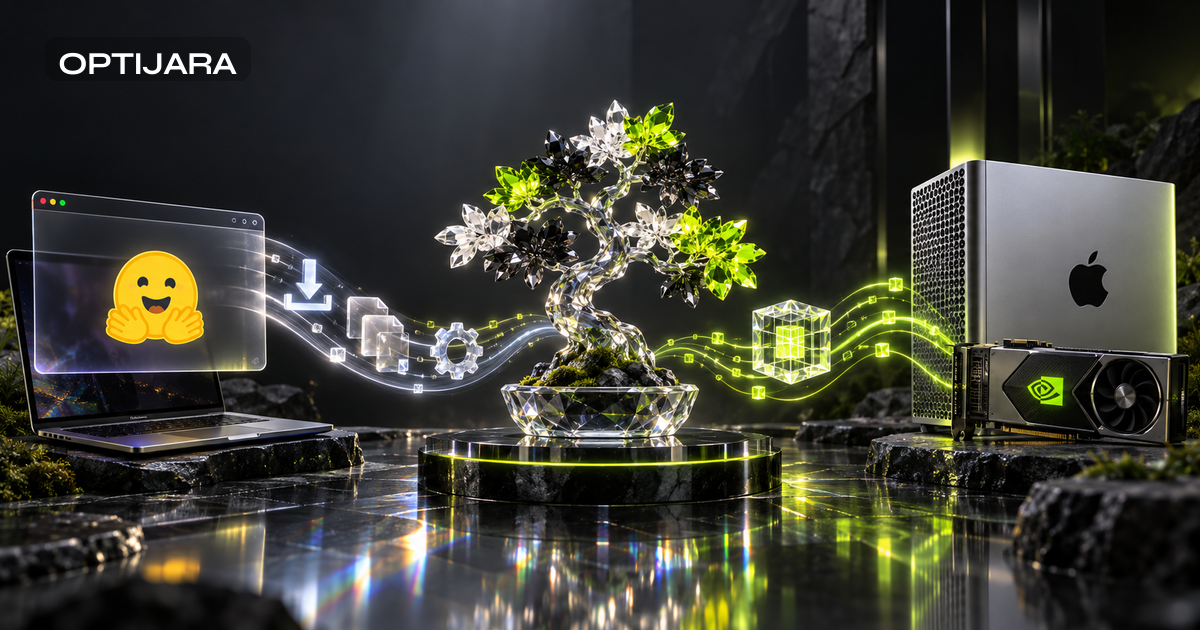
Ternary Bonsai 2 27B: WebGPU vs Native Runtime Parity for Local AI Inference
Ternary Bonsai 2 27B puts a 27B-class ternary checkpoint into both browser WebGPU and native runtime conversations. This guide maps what teams should compare across cold load, warm load, compilation, prefill, decode, features, cache behavior, and reproducibility before choosing WebGPU, MLX, or CUDA.

Why Ternary Bonsai 2 27B changes the browser versus native local AI question
Ternary Bonsai 2 27B is interesting because it appears in more than one runtime bucket. Prism ML's September 17 release describes a Qwen3.8-based 27B-class ternary checkpoint, a 1.76 effective bits format, and a reported 5.9GB model footprint. The related Hugging Face collection points to native artifacts such as GGUF and MLX. The WebGPU Space adds a browser path.
That mix changes the question. The useful question is no longer, "Can this model run locally?" It is, "Which parts of the local experience survive the move from native runtime to browser runtime?"
That is a narrower, more useful bar. A browser demo does not prove parity with CUDA or MLX on throughput, context length, feature support, memory behavior, logging, or repeatability. It proves there is enough public artifact surface to test the boundary properly.
This article is not a rerun of Optijara's earlier Bonsai 1 on-device acceptance test. The July piece looked at first-generation on-device acceptance. Bonsai 2 needs a runtime parity lens: download, cache, WebGPU adapter setup, shader or kernel compilation, model load, prefill, decode, context behavior, text and image boundaries, and repeatability against native paths. For teams comparing quantized file behavior across runtimes, the GGUF per-tensor layout and quant recipe migration guide is the better companion.
Browser WebGPU is a product experience before it is a benchmark story. It can be a low-friction way to let a stakeholder touch a local model. It can also hide the exact details a serious evaluator needs. Treat it as a runtime with its own failure modes, not as a prettier wrapper around native inference.
One more guardrail. Prism's native performance numbers, community posts, and quick demo reactions are useful discovery signals. They are not interchangeable benchmark evidence. Optijara did not run an independent benchmark for this article. Any tests below are proposed measurement plans, not claimed results.
The artifact map: what each source can prove
The first job is separating evidence from assumption. The release page can establish the announcement, model positioning, and publisher claims. The Hugging Face collection can show the public artifact grouping. Individual model cards can show runtime-specific files, licenses, revisions, and usage notes. The WebGPU Space tree and README can show what the browser artifact exposes in code or interface. None of those sources, alone, proves that every model capability lands in the browser.
| Source artifact | What it can prove | What it does not prove by itself |
|---|---|---|
| Prism ML release page | Release timing, headline model claims, publisher-reported footprint and native figures | Independent performance, browser throughput, production readiness |
| Hugging Face collection | Public artifact grouping and related model entries | That every artifact has identical features |
| GGUF model card | Native llama.cpp-style artifact availability and file details | Browser behavior or MLX performance |
| MLX 2-bit model card | Apple Silicon native path availability | CUDA behavior or browser parity |
| WebGPU Space tree and README | Browser artifact code, files, UI hints, and supported demo path | Full model feature parity unless explicitly implemented |
| Prism docs and GitHub demo | Integration guidance and project context | That a particular browser tab can handle every architecture-level claim |
| Whitepaper PDF | Technical design and reported evaluation framing | Lossless behavior on every downstream task |
| Hugging Face WebGPU kernels post | WebGPU kernel context and browser inference direction | Bonsai 2-specific end-to-end benchmark results |
This matters because a 5.9GB weight footprint is not peak memory. It is not browser cache size. It is not transfer overhead, shader cache, temporary buffer allocation, or tab survival under pressure. Browser execution may need extra working memory during download, compilation, execution, and cache rehydration. Native runtimes often expose clearer memory reporting, quant controls, and logs.
The same caution applies to long context and multimodal claims. If a model family or architecture references long context or vision, that does not mean the WebGPU demo supports image input or a practical maximum context length. Browser memory limits, GPU adapter behavior, cache pressure, and prompt construction all have a vote.
Browser-to-Native Parity Map
The Browser-to-Native Parity Map uses five dimensions: artifact availability, startup path, token path, feature surface, and operating envelope. The goal is not to crown WebGPU, MLX, or CUDA. The goal is to stop treating "runs in the browser" as a yes or no answer.
| Parity dimension | Browser WebGPU | Native MLX | Native CUDA or GGUF |
|---|---|---|---|
| Artifact availability | Depends on Space files, browser bundle, and fetch path | Depends on MLX artifact and Apple Silicon setup | Depends on GGUF file, runtime build, and GPU support |
| Startup path | Download, cache, adapter init, shader or kernel compilation, load | Local file load, MLX runtime init, graph execution | Local file load, CUDA or CPU backend init, runtime params |
| Token path | Browser prefill and decode through WebGPU kernels | Native Apple Silicon execution path | Native GPU or CPU execution path |
| Feature surface | Must be confirmed from UI and code | Often closer to model card claims, still artifact-specific | Often more tunable, still artifact-specific |
| Operating envelope | Browser memory, tab stability, cache behavior, browser updates | macOS and MLX versions, thermal state, memory pressure | Driver, CUDA, llama.cpp build, quant file, VRAM, thermals |
WebGPU can be enough for a demo, an education flow, an internal evaluation, or a lightweight local prompt where setup speed matters more than deep instrumentation. It is especially useful when a team wants people to see a local model path without installing native runtimes.
Native paths still matter when the team needs repeatable benchmarking, explicit hardware controls, better profiling, server-like automation, longer evaluation suites, or careful comparisons across quant files. MLX is the natural Apple Silicon lane. CUDA and GGUF are the workstation and server evaluation lane.
{
  "framework": "Browser-to-Native Parity Map",
  "dimensions": ["artifact_availability", "startup_path", "token_path", "feature_surface", "operating_envelope"],
  "claim": "Parity is workload-specific and must be measured separately for browser WebGPU, MLX, and CUDA or GGUF paths.",
  "benchmark_status": "proposed_test_plan_only"
}
Measure startup and token generation separately
A fair Bonsai 2 runtime comparison starts by separating startup from generation. First visit download, cache hit reload, WebGPU adapter initialization, shader compilation, model load, first token latency, prefill speed, decode speed, memory pressure, and tab stability are separate events. Roll them into one "it felt fast" score and the real bottleneck disappears.
| Measurement field | Browser WebGPU field | Native MLX or CUDA field | Why it matters |
|---|---|---|---|
| First visit download | Total transferred bytes, fetch endpoints, interruption behavior | Artifact download method and checksum | Separates network cost from runtime speed |
| Warm reload | Cache hit state, service worker behavior if present | Local file reuse | Shows repeat experience after first load |
| Runtime init | Browser, WebGPU adapter, driver, permissions | Runtime version, driver, library commit | Captures environment variance |
| Compilation | Shader or kernel compile time | Graph or kernel warmup | Explains first-run delay |
| Model load | Time to ready state and memory pressure | Load time and memory or VRAM | Identifies practical startup envelope |
| Prefill | Prompt tokens, first token latency | Same prompt and context settings | Long prompts stress attention and memory |
| Decode | Output tokens per second | Same decoding settings | Shows steady generation behavior |
| Failure mode | Crash, tab kill, unsupported browser, stalled fetch | OOM, driver error, runtime exception | Helps define rollout boundaries |
Do not compare a publisher native number, a social media speed anecdote, and a browser demo impression as if they were the same benchmark. They may use different hardware, prompt lengths, context settings, quant files, browser versions, and warmup states.
A useful report should include the exact prompt pack, model revision, runtime commit, operating system, GPU adapter, browser version, quant file, context length, and decoding parameters. If those details are missing, the result may still be interesting, but it should not drive an adoption decision.
Feature parity is more than text output
Text generation is usually the first parity target because it is visible and easy to test. But text parity is not full model parity. Teams should also check structured JSON behavior, multi-turn context reuse, long document summarization, refusal behavior if relevant, and variance across repeated runs.
Vision support needs its own proof. If a full model family or documentation references multimodal capability, the browser artifact still needs UI and code evidence before anyone claims image input support. The useful labels are supported, partially supported, unsupported, or unknown until tested.
Long context deserves the same discipline. An architecture-level context claim does not mean a browser tab can process the maximum context with acceptable memory, latency, and stability. For Bonsai 2, the better operating question is not "what is the theoretical context?" It is "which prompt lengths remain stable and useful in this runtime on this device?"
That wording is less dramatic, but it helps teams avoid shipping a demo assumption as a product promise.
A practical device and workflow test matrix
Teams should evaluate Bonsai 2 across devices and workflows, not one friendly prompt. The matrix below is a proposed plan, not an Optijara benchmark result.
| Runtime target | Device lane | Test prompts | Pass criteria |
|---|---|---|---|
| Chromium WebGPU | Capable desktop GPU | Short instruction, JSON response, long summary, cache reload | Completes without crash, records adapter, stable warm reload |
| Browser on Apple Silicon | Apple Silicon browser path | Short instruction, document summary, multi-turn context | Acceptable first token for intended workflow, no silent unsupported feature |
| MLX | Apple Silicon native | Same prompt pack, same model revision where possible | Repeatable output shape, logged runtime and memory notes |
| CUDA or GGUF | Workstation or server GPU | Same prompt pack, varied context lengths | Reproducible settings, logged VRAM and runtime commit |
| CPU fallback | Boundary case only if documented | Small prompt and failure behavior | Clear statement that this is not the preferred performance lane |
The prompt suite should include a short instruction, a long document summary, a structured JSON output, a multi-turn context reuse test, an image-input check only if the artifact supports it, and a cache reload check. Record pass, caution, or fail. "Caution" is useful when a runtime works for short text but fails long context, needs a specific browser flag, or behaves differently after warm reload.
Common mistakes when testing browser local AI against native runtimes
The first mistake is treating download size as memory requirement. The publisher footprint is a model artifact fact, not a full runtime envelope. Measure peak memory, cache size, temporary buffers, and failure behavior.
The second mistake is treating native throughput as browser throughput. Native CUDA or MLX figures do not automatically transfer to WebGPU. Measure each runtime on its own path.
The third mistake is treating demo support as full model support. A browser Space may expose text generation while leaving image input, full context, or advanced controls unsupported. Inspect files, UI, and network behavior before making claims.
The fourth mistake is assuming browser local AI is private by default. Local execution can still involve fetch endpoints, storage behavior, service workers, telemetry, or dependency calls. Inspect the network path. Disconnect the network after warm load and see what still works.
The fifth mistake is using one prompt as a benchmark. A single polite instruction can hide context, structure, decoding, and stability issues. Use a prompt suite and keep exact inputs under version control.
Caveats and operating trade-offs
Browser-first local AI can reduce setup friction, but it does not remove implementation work. Security and privacy still need code review, network inspection, cache review, dependency review, and offline behavior testing.
Performance varies by browser, driver, GPU adapter, device memory, thermal state, and runtime update cadence. Reproducibility is harder when the browser is part of the runtime. A browser update, driver update, shader compiler change, or cache invalidation can change the experience.
Native paths require more setup, but they often give teams stronger control over versions, logs, profiling, and automation. Maintenance is the hidden cost. If a team ships browser AI as an internal tool, someone owns browser compatibility, model artifact updates, cache invalidation, and support notes for unsupported devices. If a team ships native workflows, someone owns runtime installation, drivers, quant files, and hardware constraints. Neither path is free.
Decision guide: WebGPU, MLX, CUDA, or a mixed path
Choose browser WebGPU when the goal is a low-friction demo, educational walkthrough, internal pilot, or evaluation path where users can tolerate explicit feature boundaries. It is a good first experience when the team wants to test interest before installing native stacks.
Choose MLX when the evaluation audience is mostly on Apple Silicon and the team needs native integration, repeatability, and Apple-device characterization. MLX is also useful when the browser path works but does not expose enough observability for a serious comparison.
Choose CUDA or GGUF when the team needs workstation or server-style evaluation, deeper instrumentation, quant comparison, longer prompt suites, or controlled performance testing. This path has more setup cost, but it is usually the stronger lane for repeatable measurement.
Use multiple runtimes when Bonsai 2 will appear in more than one environment. A browser demo can help stakeholders understand the experience. MLX can support Apple developer laptops. CUDA or GGUF can anchor controlled evaluation. That is where the Browser-to-Native Parity Map earns its keep: it turns runtime choice into a documented acceptance test instead of a debate about launch headlines.
For teams that need a neutral test plan, Optijara can help define the prompt suite, runtime matrix, measurement fields, and adoption notes without assuming that browser, MLX, or CUDA is the right answer in advance.
Key Takeaways
- 1Ternary Bonsai 2 27B should be evaluated as a multi-runtime release, not only as a model announcement.
- 2Browser WebGPU parity must be measured across download, cache, adapter initialization, compilation, load, prefill, decode, features, and failures.
- 3A 5.9GB model footprint is not the same as peak browser memory, disk cache, transfer overhead, or runtime stability.
- 4Native CUDA and MLX figures should not be treated as browser throughput unless the same workload is measured in the browser path.
- 5Image input, long context, and other advanced capabilities require artifact-level browser verification before they are claimed.
Conclusion
Runtime parity for Ternary Bonsai 2 27B is a measurement problem, not a launch headline. The release gives teams browser and native artifacts to inspect, but the useful decision comes from testing startup, prefill, decode, context, feature support, cache behavior, and reproducibility on the devices that matter. Teams that document those trade-offs can choose WebGPU, MLX, CUDA, or a mixed path with less guesswork and fewer unsupported rollout assumptions.
Frequently Asked Questions
What is Ternary Bonsai 2 27B?
Ternary Bonsai 2 27B is a Prism ML release described as a Qwen3.8-based 27B-class ternary checkpoint, with public release notes and related Hugging Face artifacts for browser and native runtime paths.
Does the Ternary Bonsai 2 WebGPU demo match native CUDA or MLX performance?
Not automatically. Browser parity must be measured separately for download, load, shader or kernel compilation, first token latency, prefill, decode, memory pressure, cache behavior, and supported features.
Is the 5.9GB Bonsai 2 footprint the same as required browser memory?
No. The footprint describes the model artifact, not the full runtime envelope. Browser memory can include transfer overhead, temporary buffers, shader cache, model cache, and tab memory pressure.
Can the browser version use Bonsai 2 image input and full long context?
Only if the specific browser artifact supports those features. Teams should inspect the WebGPU Space UI, files, fetch behavior, and code before claiming image input or practical maximum-context support in a browser.
When should a team choose WebGPU instead of MLX or CUDA for local AI inference?
Choose WebGPU for low-friction demos and browser-based evaluation when feature boundaries are acceptable. Choose MLX for Apple Silicon native testing and CUDA or GGUF for deeper instrumentation, quant comparison, and repeatable workstation or server evaluation.
Sources
- https://prismml.com/news/bonsai-2-27b
- https://huggingface.co/collections/prism-ml/bonsai-2
- https://huggingface.co/prism-ml/Ternary-Bonsai-2-27B-gguf
- https://huggingface.co/prism-ml/Ternary-Bonsai-2-27B-mlx-2bit
- https://huggingface.co/spaces/webml-community/ternary-bonsai-2-webgpu-kernels/tree/main
- https://huggingface.co/spaces/webml-community/ternary-bonsai-2-webgpu-kernels/blob/main/README.md
- https://github.com/PrismML-Eng/Bonsai-demo/
- https://github.com/PrismML-Eng/Bonsai-demo/blob/main/bonsai-2-27b-whitepaper.pdf
- https://docs.prismml.com/get-started/introduction
- https://huggingface.co/blog/webgpu-kernels

Written by
Hamza DiazHamza Diaz is the founder of Optijara, where he builds practical AI agents, automation systems, and Copilot workflows for service businesses. He writes about AI operations, agent strategy, and real-world implementation for teams that want usable systems instead of hype.